Event “Grow with the Glow” at MIT Future Fest — Cambridge Science Carnival, Boston · Sun Oct 4, 12–4 PM · come say hi
The Kit

The light bio-printer.
Design to living result.

Two components, one loop: a DIY light bio-printer you assemble yourself, and a software system that takes your design all the way to a living Mucor mycelium print on agar — a complete hands-on STEAM project for makers, students, and educators.

tap to flip through →
For makers
$179Maker
In stock · ships in 4–7 days · complete kit
What's included
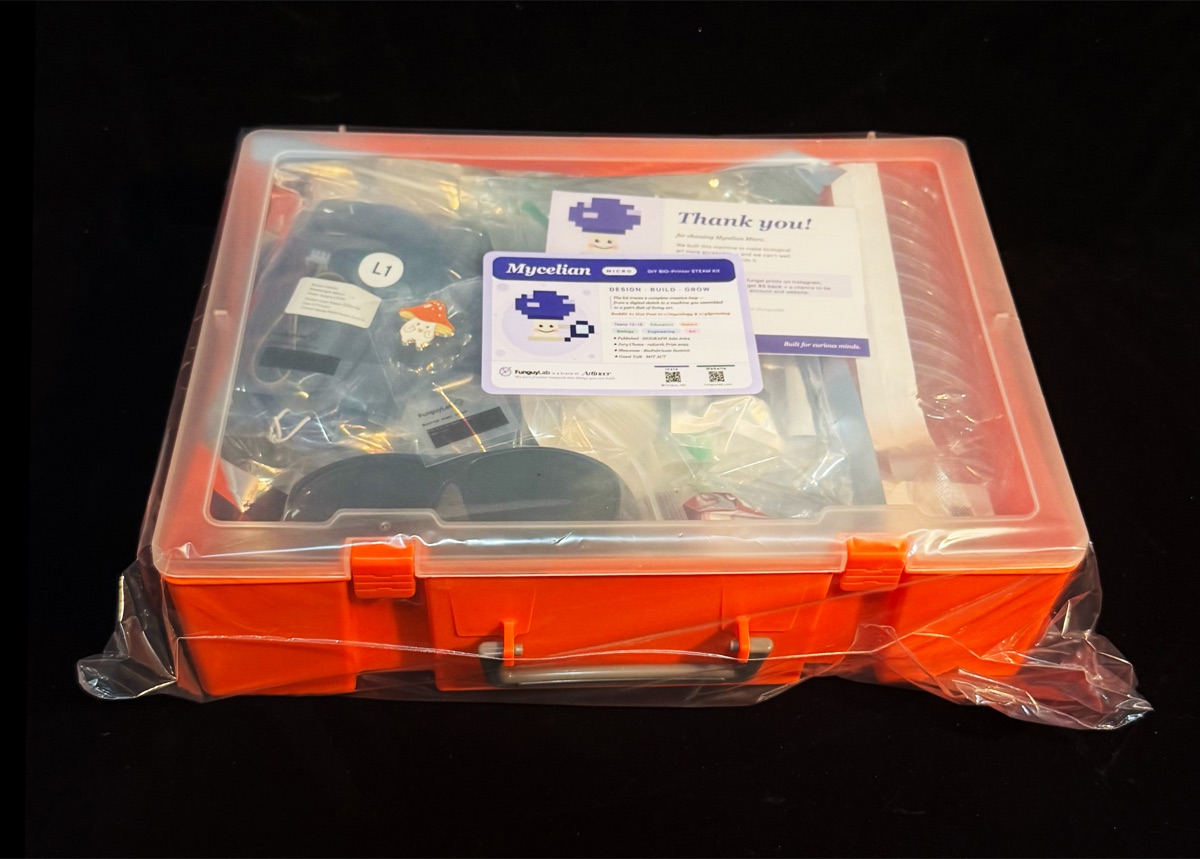
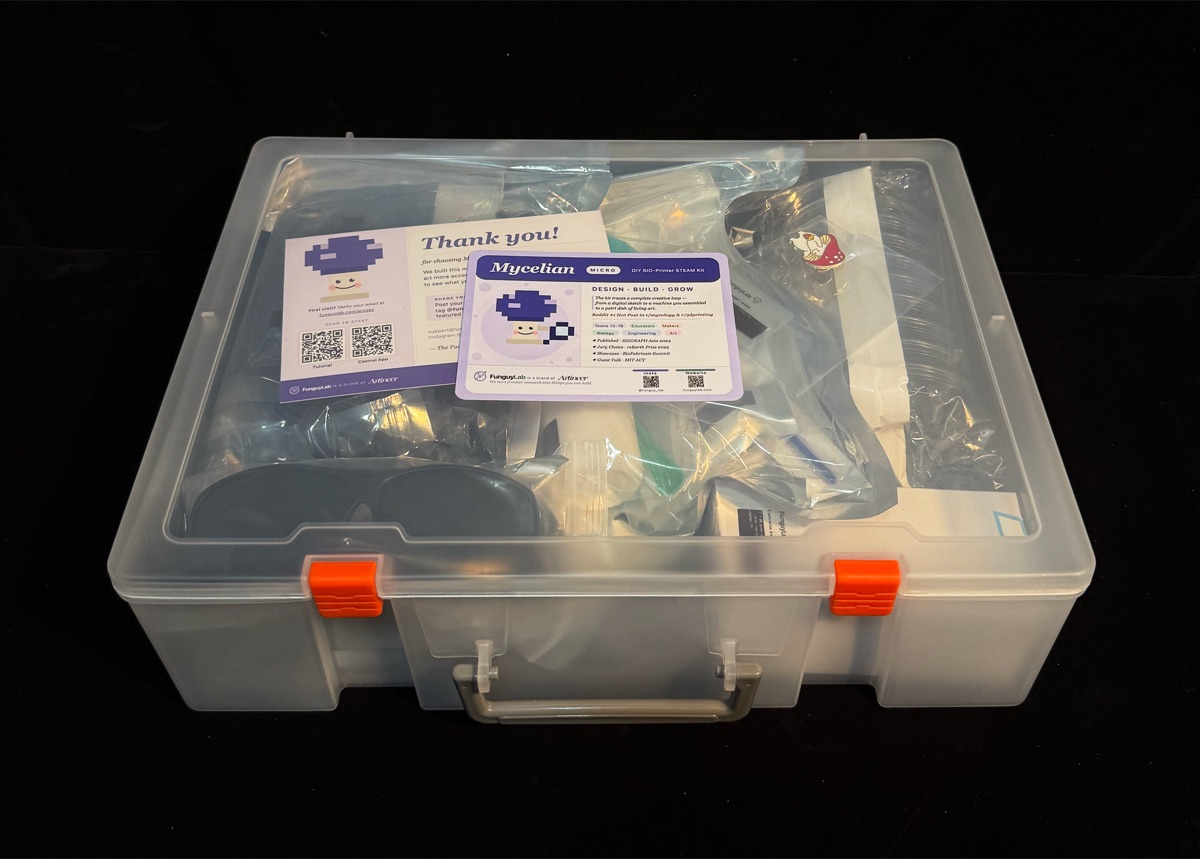
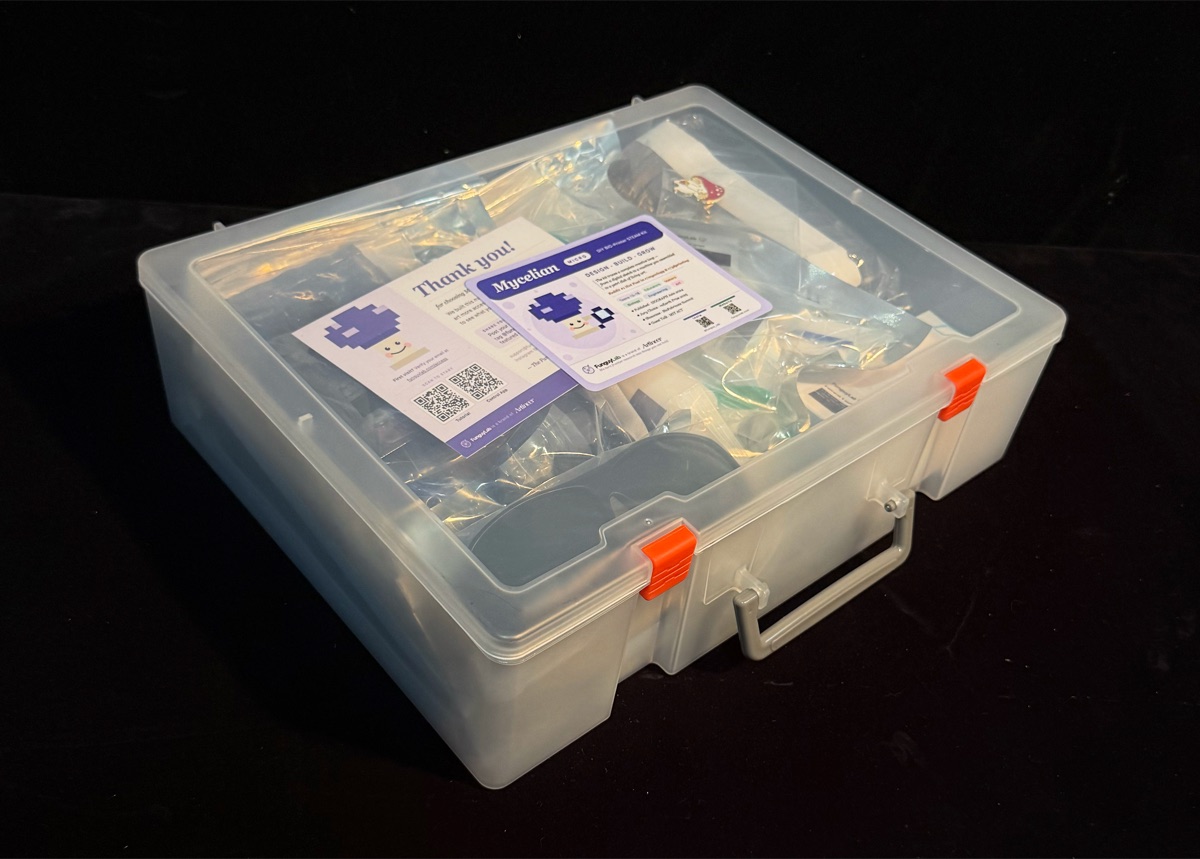
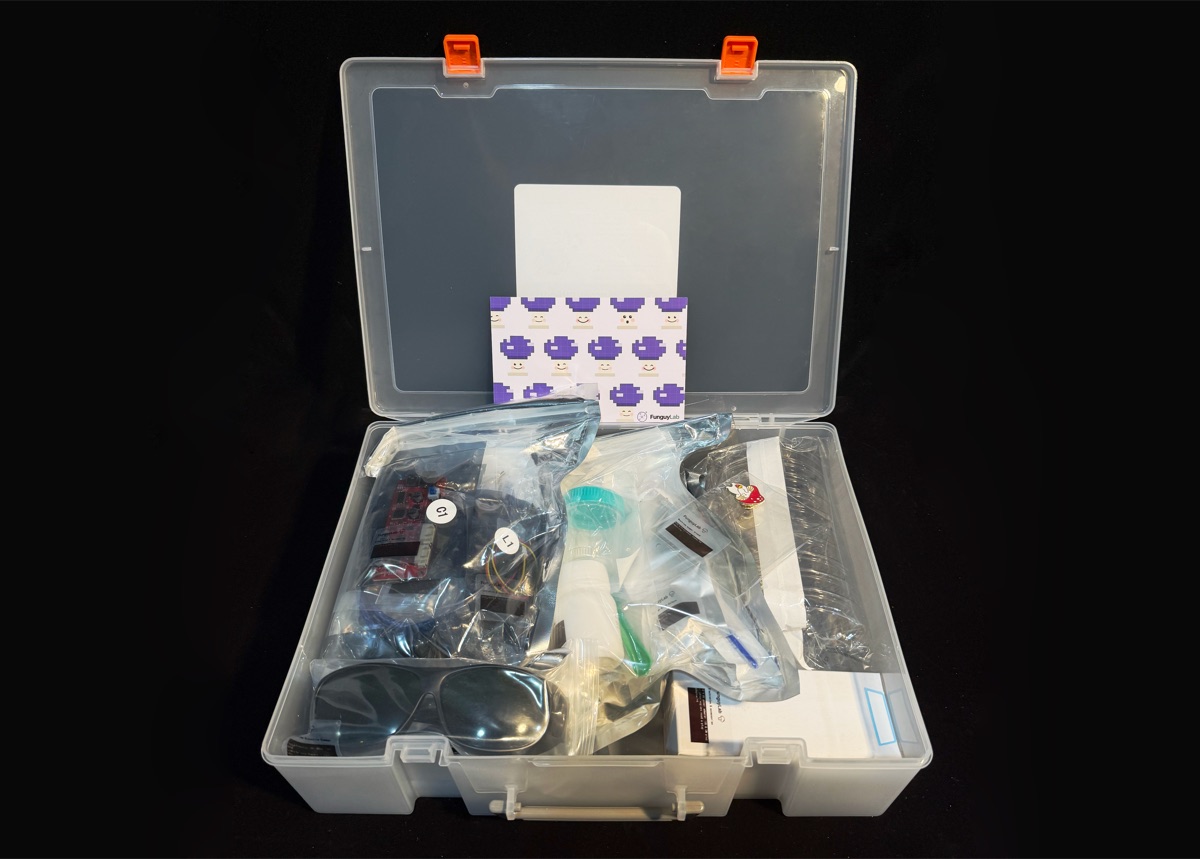
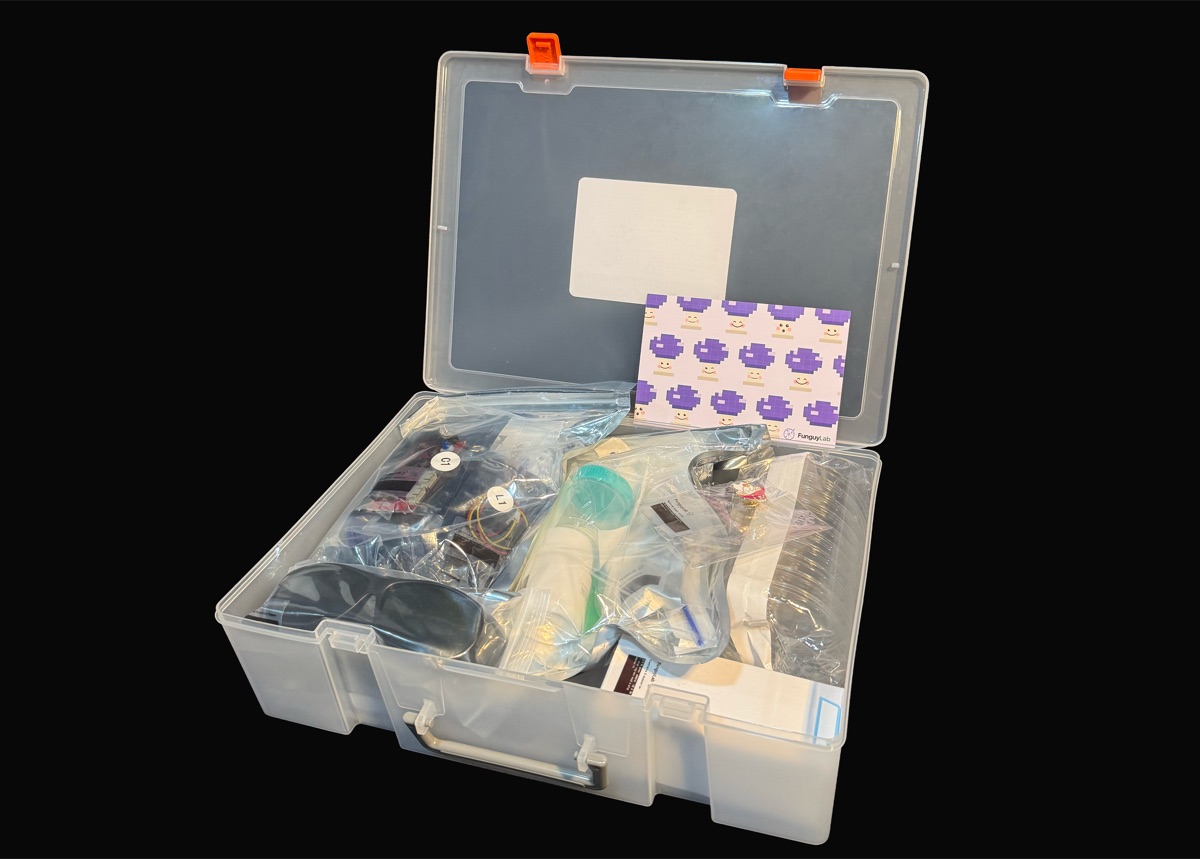
  • Complete DIY light bio-printer kit — all hardware & parts
  • Live Mucor culture & ready-to-use agar plates
  • Safety goggles & lab tool set
  • Control app, illustrated assembly guide & growth simulator
Order Maker →
★ Most popular
Best value
$229Maker Plus
In stock · ships in 4–7 days · + isolation chamber, tools & extras
What's included
  • Everything in Maker
  • Mini isolation grow chamber
  • Extra culture, agar & lab consumables
  • Storage tool box
Order Maker Plus →

Founder pricing, in USD · see full pricing & all editions →

Part 01 · Hardware

Build it. Grow it. Own it.

Original design by FunguyLab — the hardware, software, and light-guided fungal-printing method are our own, built on our research published at SIGGRAPH Asia 2024.

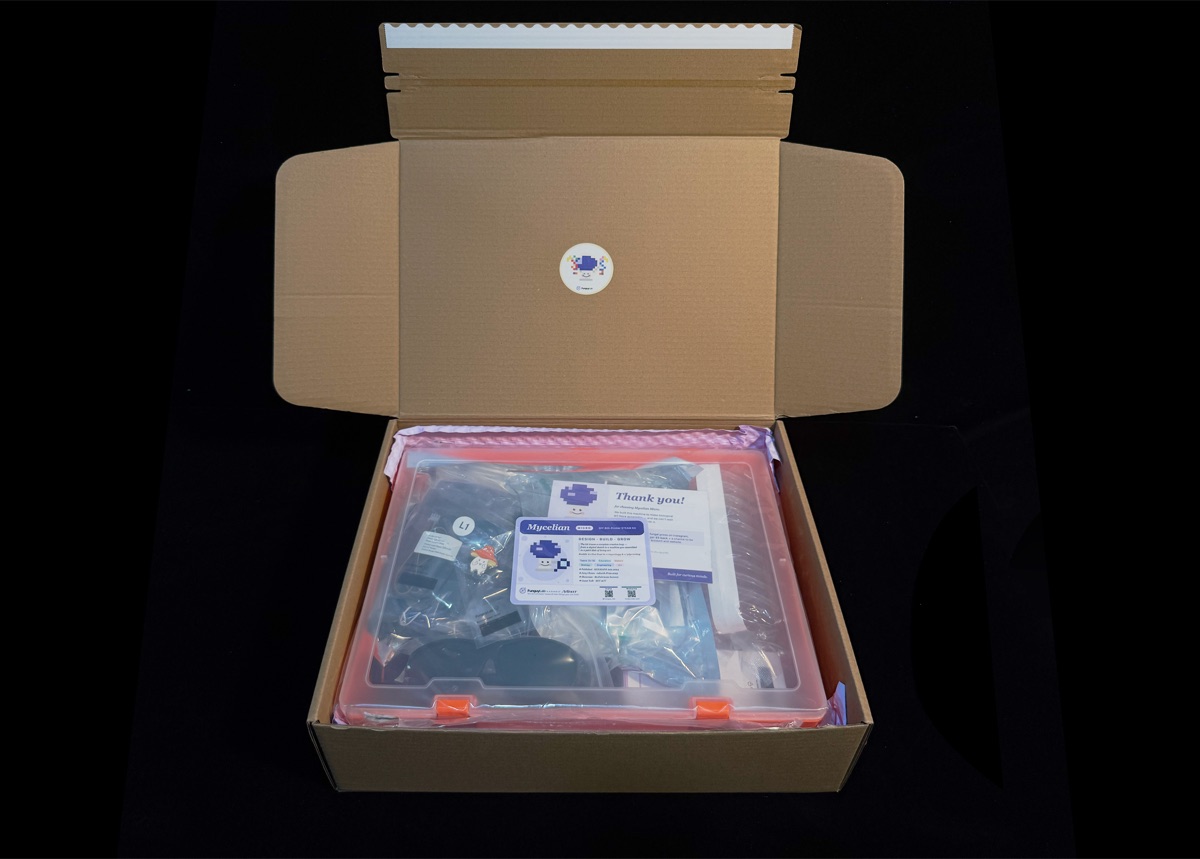
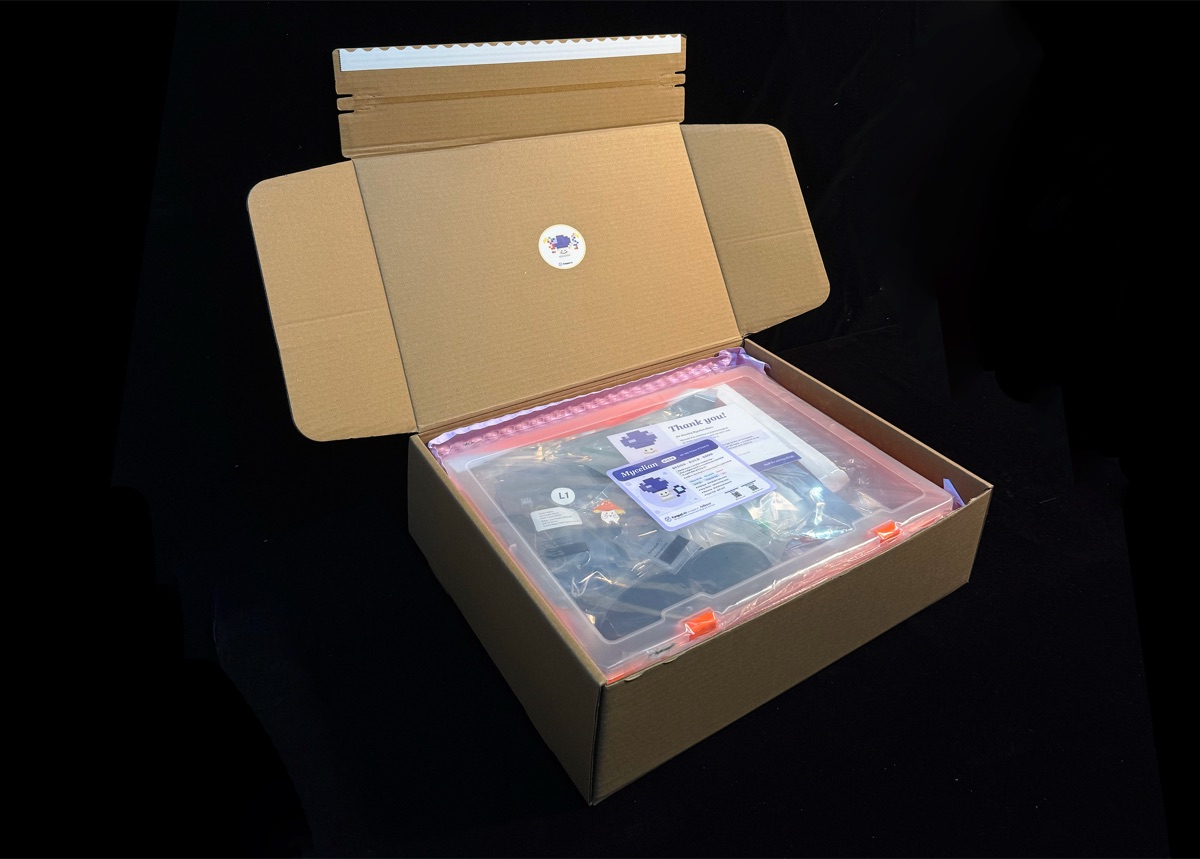
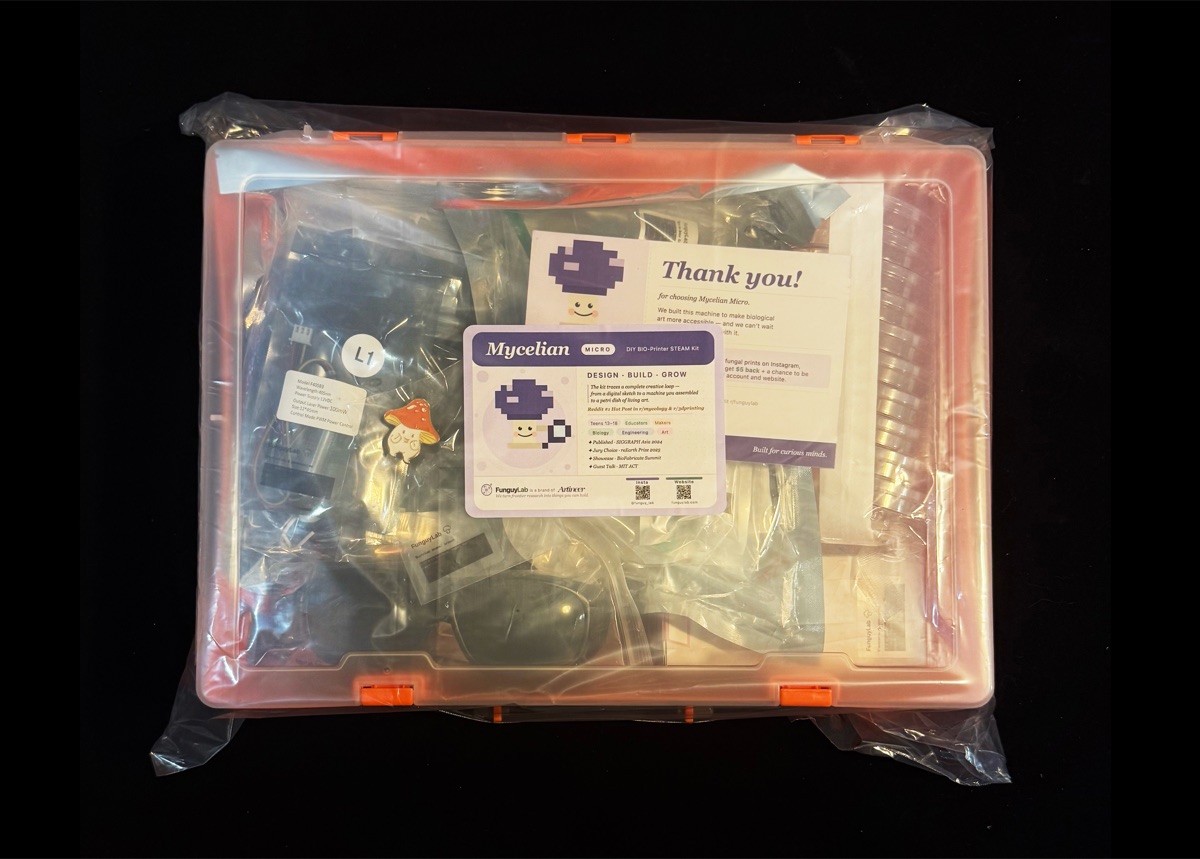
Unbox the kit

All hardware, pre-cut parts, live Mucor culture, agar, goggles and tools — nothing else to buy.

Assemble the printer

Build the two-axis CNC light bio-printer step by step in ~2–3h. Connector-based — no soldering, no experience needed.

Fit the light module

Mount the low-power, eye-safe light source and controller board, then connect to your computer over USB.

Prep the culture

Pour the agar, inoculate with food-safe Mucor, and load the plate — your machine is ready to print.
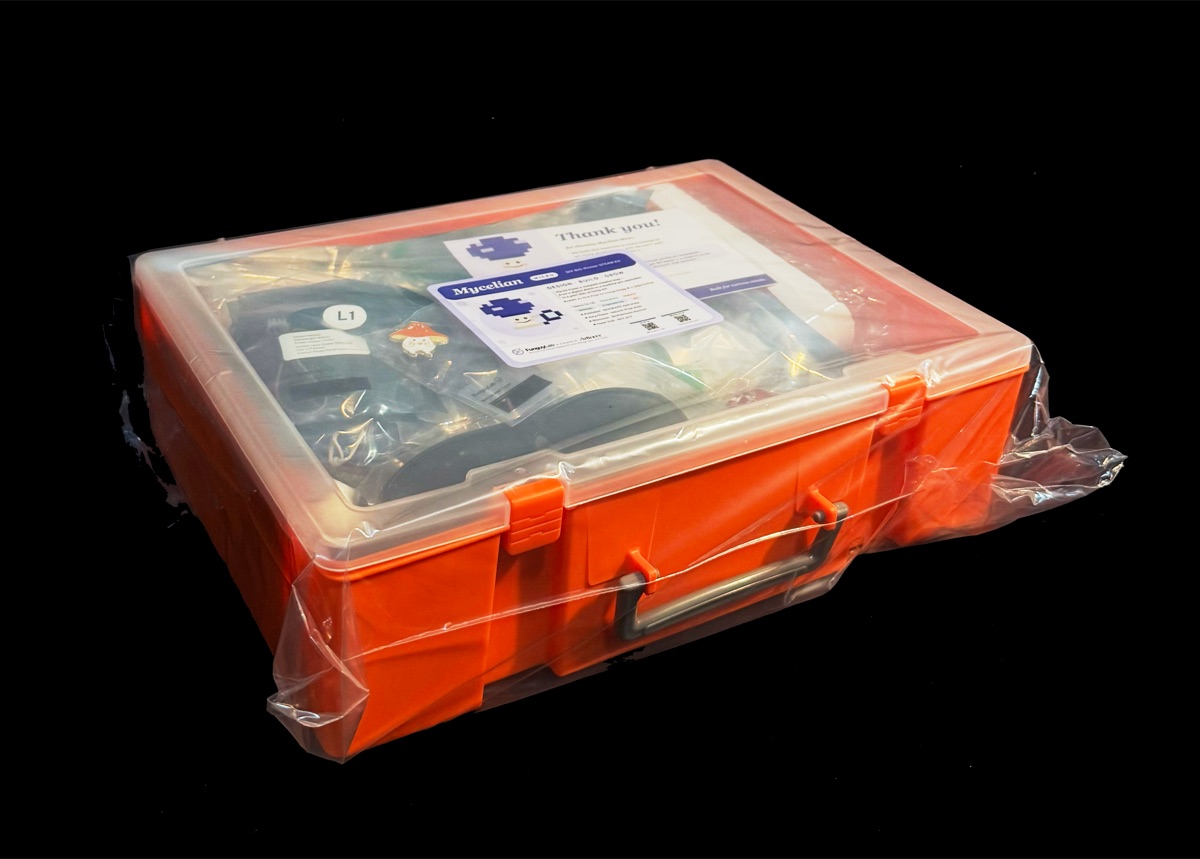
funguy kit — assembled light bio-printer
tap a photo to flip through the kit →
funguy kit components
tap a photo to flip through the kit →
funguy kit hardware detail
tap a photo to flip through the kit →
funguy kit build
tap a photo to flip through the kit →
funguy kit detail
tap a photo to flip through the kit →
funguy kit detail
tap a photo to flip through the kit →
funguy kit detail
tap a photo to flip through the kit →
funguy kit detail
tap a photo to flip through the kit →
funguy kit detail
tap a photo to flip through the kit →
Part 02 · Software

From sketch to living print,
in one integrated flow.

The control system is one continuous experience — design, preview, send, and watch. No switching between tools, no separate apps, no command line.

Design your pattern

Draw freehand in the canvas, import an SVG or image, or choose from built-in templates (letters, shapes, gradients). Any design becomes a printable fungal pattern — the software handles the translation.

Preview with the growth simulator

Before printing, see a simulation of how Mucor will grow into your pattern — based on the neural cellular automaton from our research. Adjust density, laser intensity, and timing to tune the expected result.

Generate the light path

One click converts your design into a precision G-code laser path — accounting for plate dimensions, laser speed, and the inhibition zones your design requires.

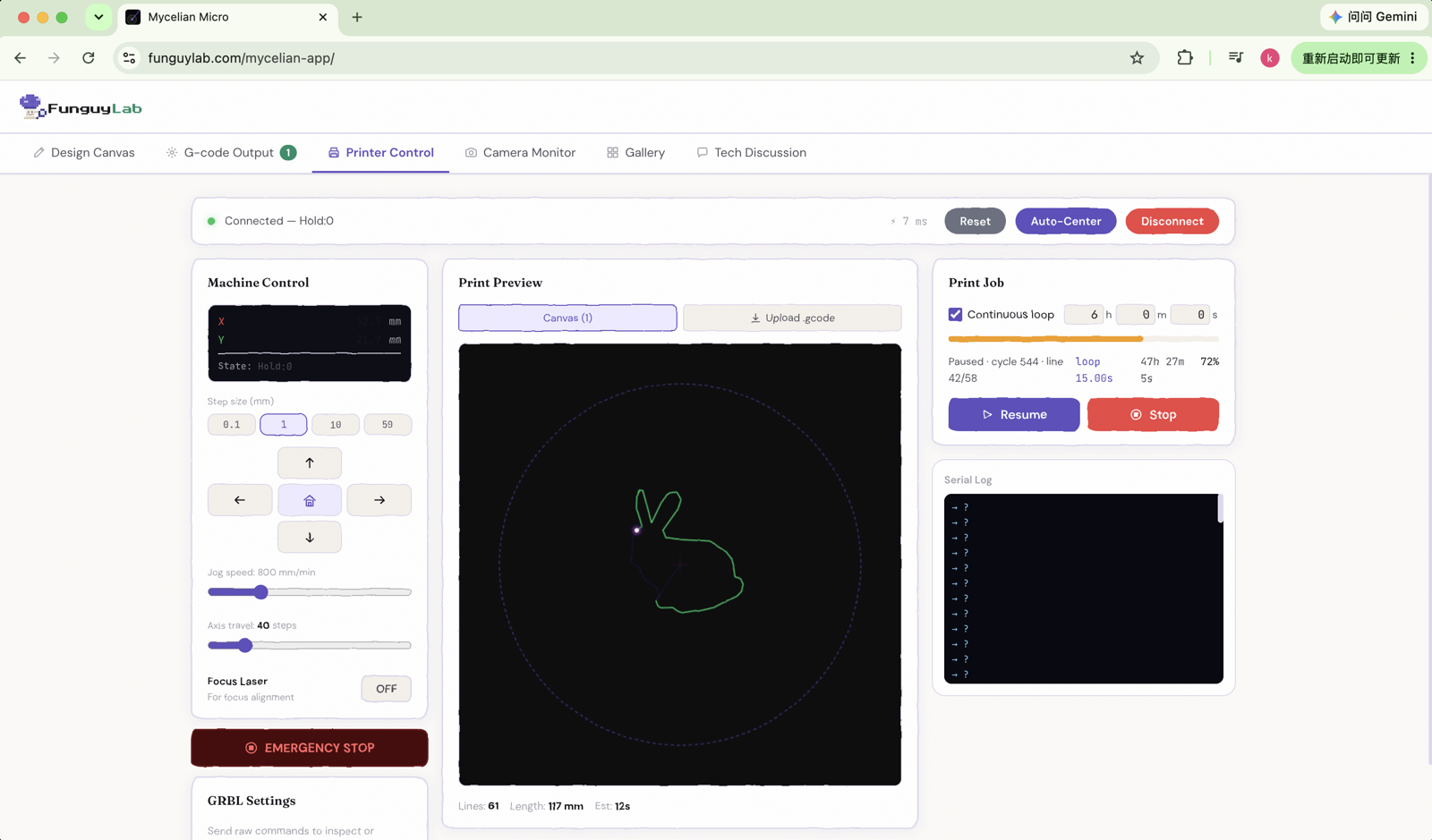
Send to your printer

The software communicates directly with the controller board via USB. Hit print, and the machine you built runs the job. Then wait — the fungus does the rest.
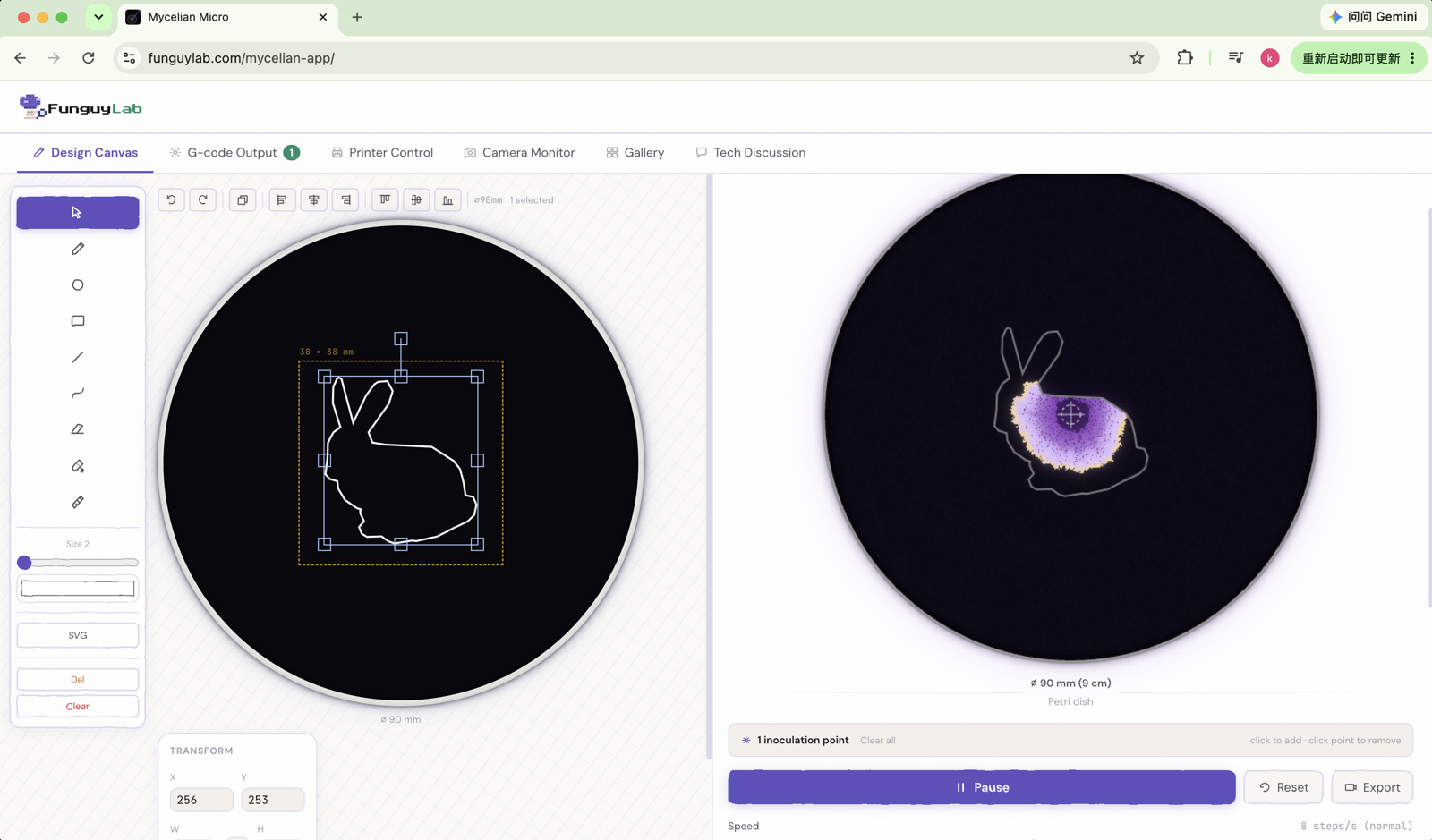
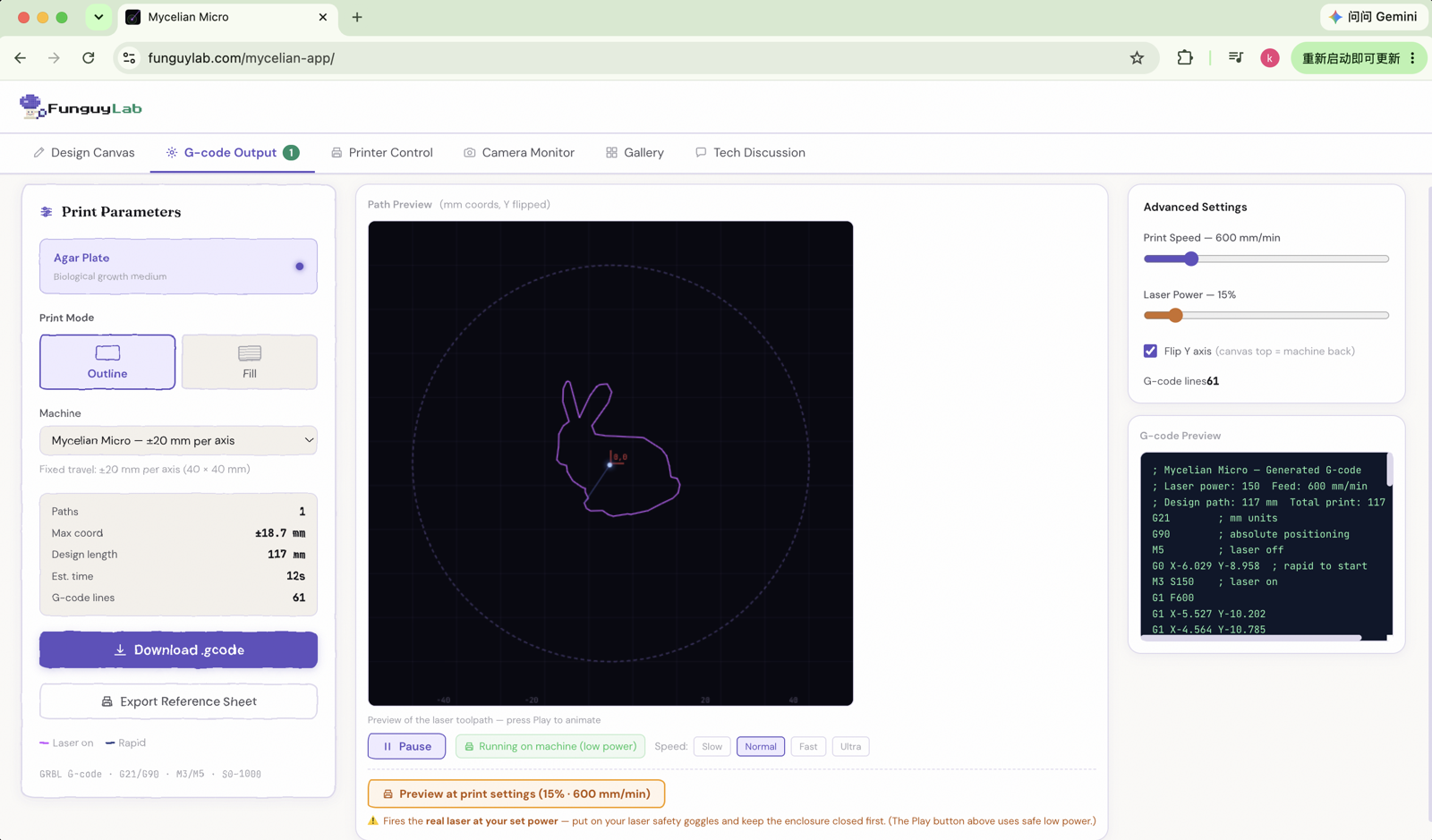
Mycelian Micro control app — design canvas
tap to flip through the app →
Mycelian Micro control app — G-code output
tap to flip through the app →
Mycelian Micro control app — printer control
tap to flip through the app →
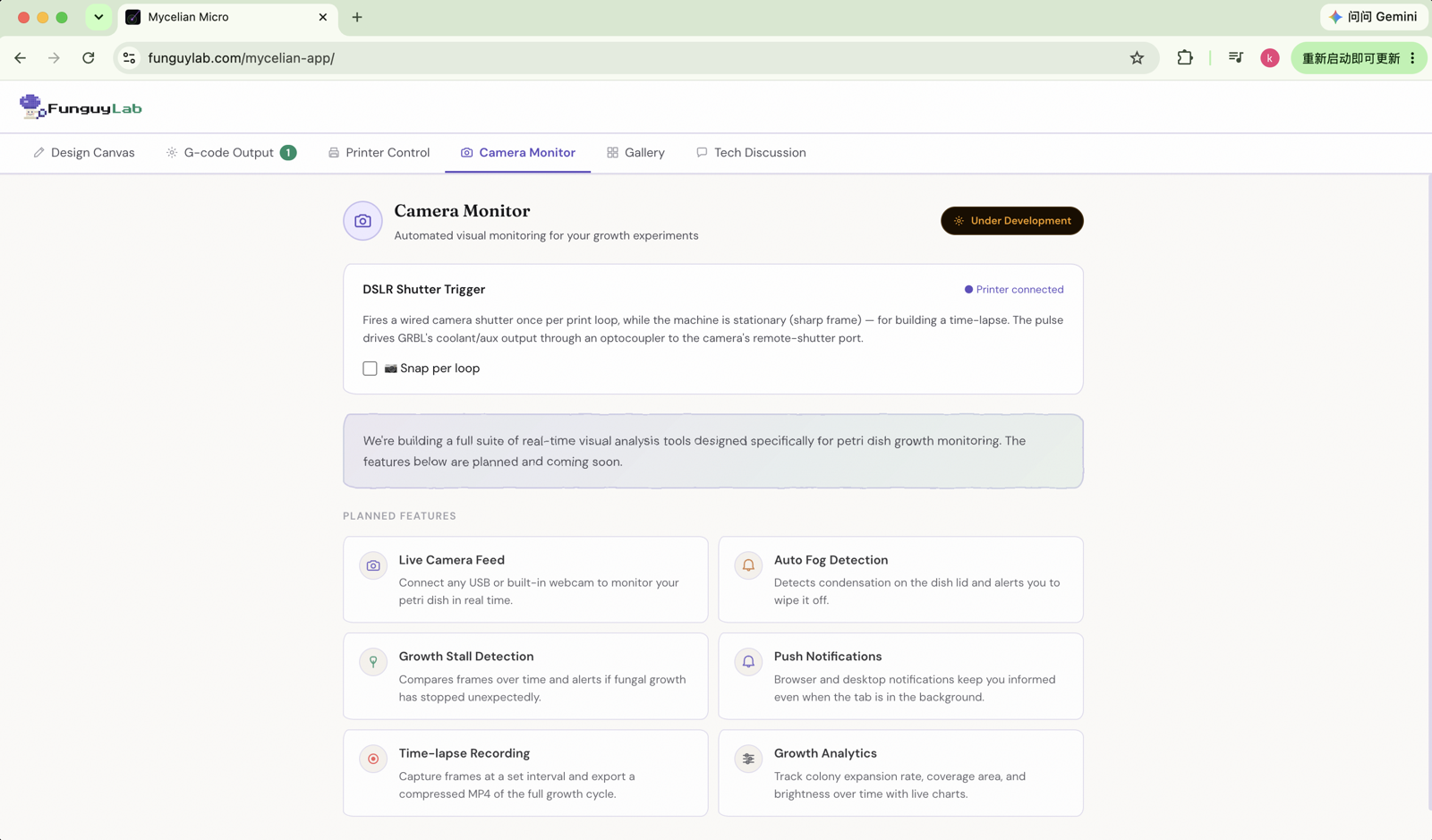
Mycelian Micro control app — camera monitor
tap to flip through the app →
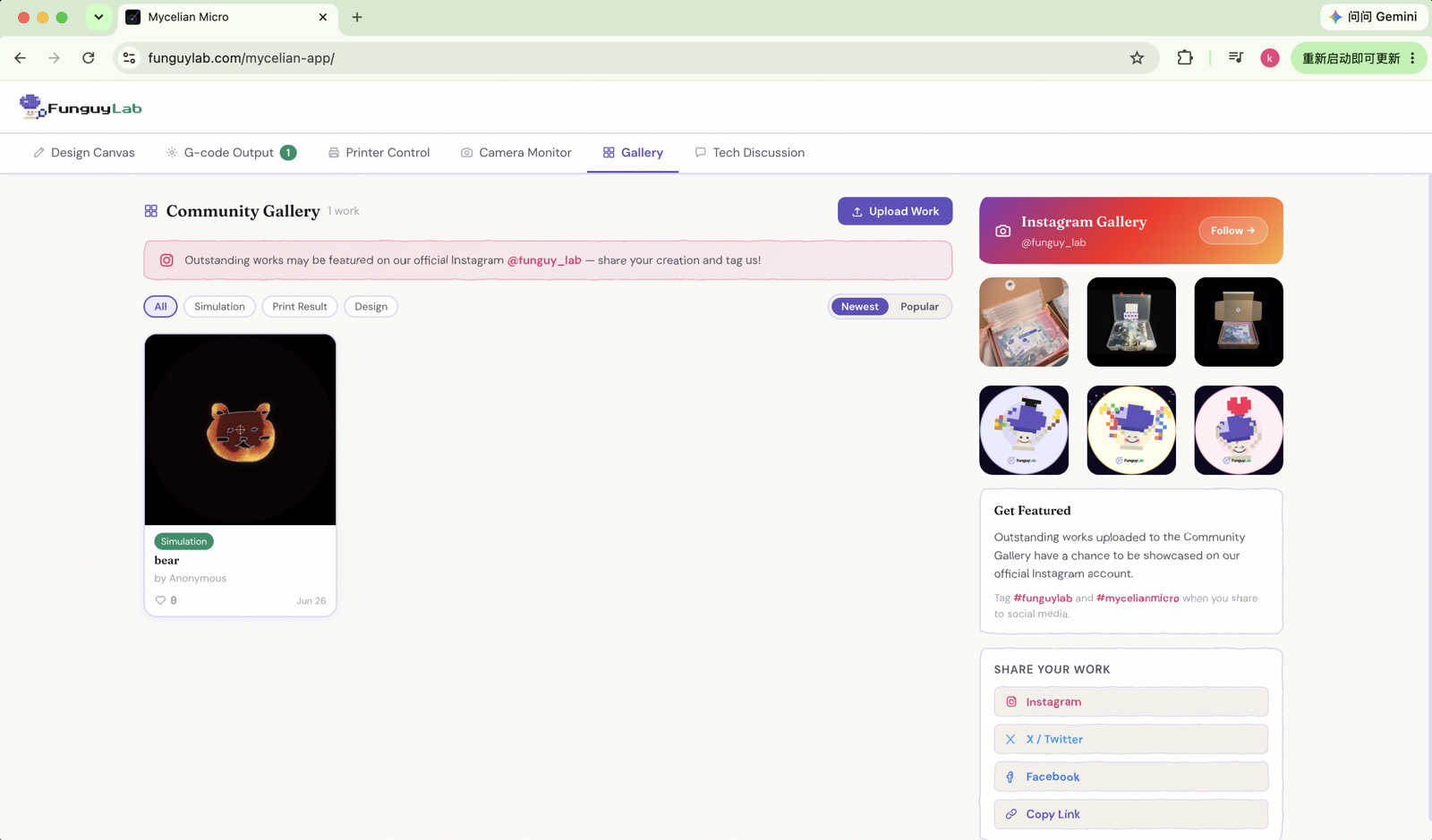
Mycelian Micro control app — gallery
tap to flip through the app →
Mycelian Micro control app screen
tap to flip through the app →

Ready to build your printer?

Order your kit today — ships in 4–7 business days. Start growing living fungal art.

See pricing & order →